
MapBook in Action
A walk through what actually happens — from the call coming in to the pre-plan opening itself on the way to the scene.
During the call
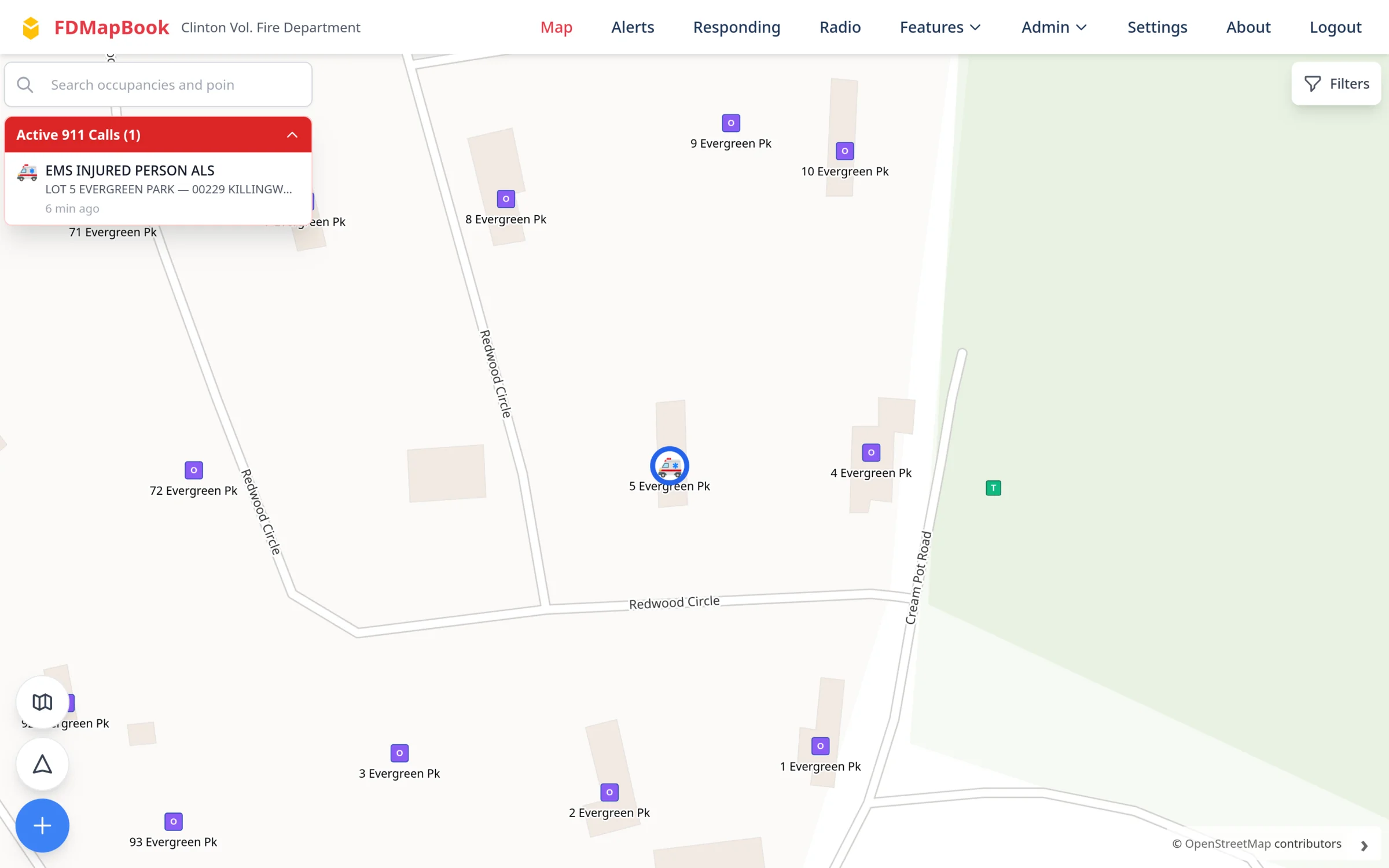
Live 911 dispatch, on your map
Your dispatch center already sends you every call. MapBook takes those dispatch alerts, pulls the call apart the second it lands, and puts it on the map — before anyone has opened an app.
- Reads your center's dispatch emails the moment they land — true push, no polling delay
- Call number, type, town, units and dispatch time parsed out
- Email formats are configuration, not code, so a changed format is a settings edit
- Direct integration with your dispatch software, for live updates as a call changes, is a separate project scoped with your center
- Free-text dispatch messages ('EMT or driver needed') come through as their own alert type
- Calls auto-archive on a timer you set, so the map stays current
During the call
Alerts that actually wake people up
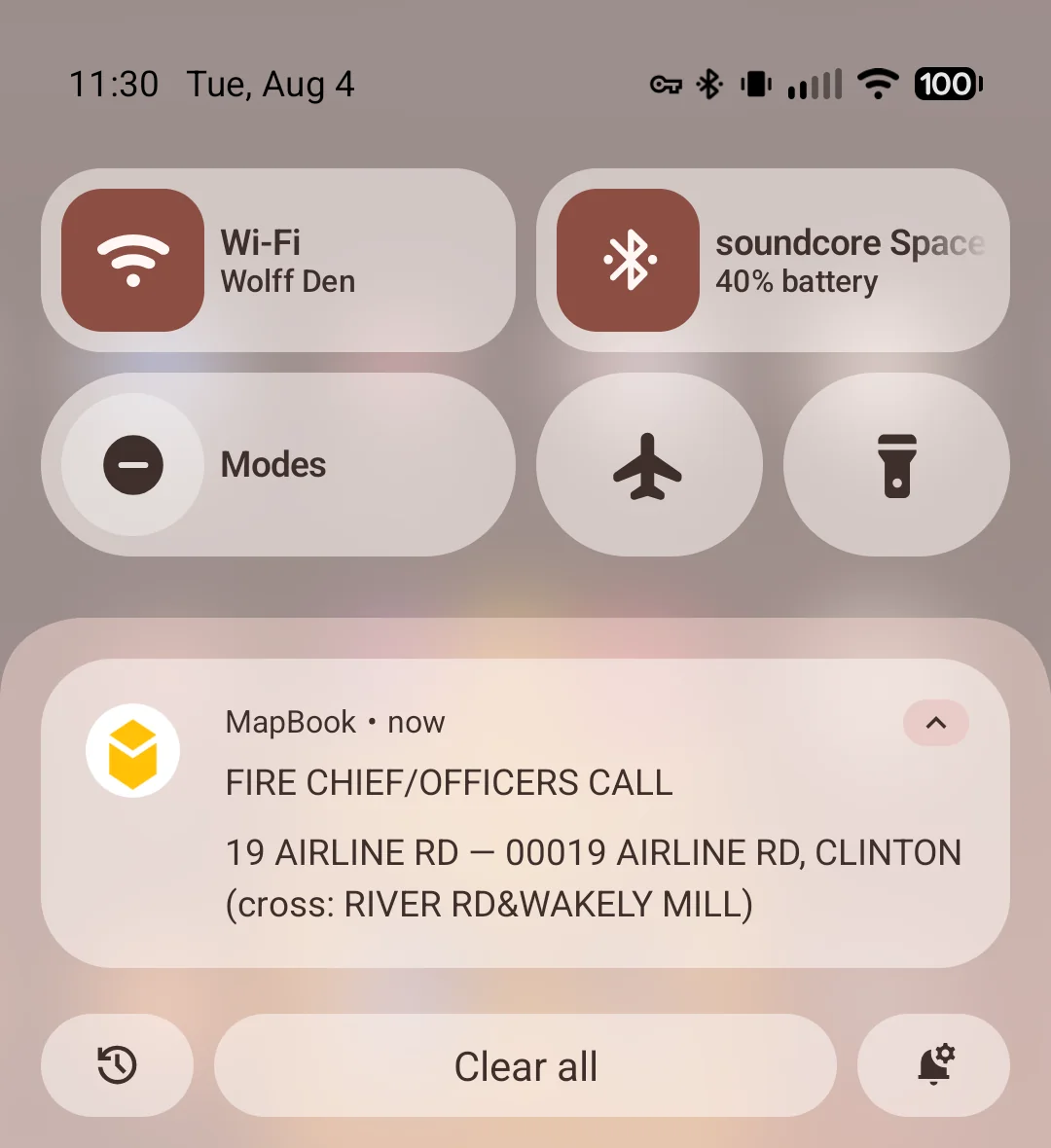
Native iOS and Android apps deliver dispatch as an OS-level notification with the app closed and the phone locked — not a web notification that dies when the browser is killed.
- A high-importance Android channel for dispatch, separate from messages and responding updates
- Per-user opt-outs for message and responding notifications
- Registration retries on bad networks instead of silently giving up
- If you already have the app open, the alert still shows on screen — nothing is missed
During the call
Who is coming, and where
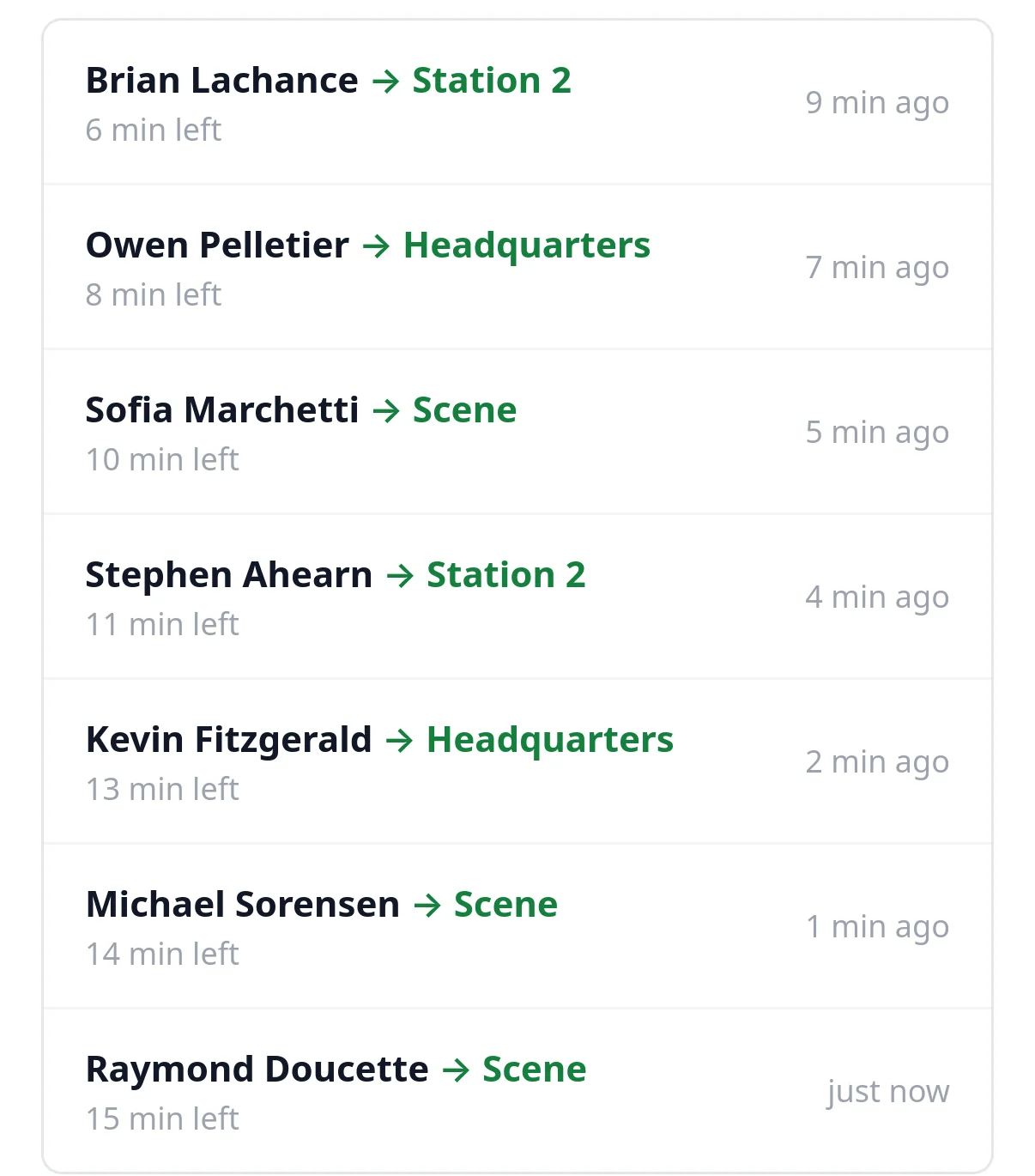
Members mark themselves responding to the station, the scene, or wherever your department defines. Everybody sees the same board — including the screen on the wall in the bay.
- Department-wide, and every screen updates the moment someone marks up
- Auto-expires (15 minutes by default) so nobody is left showing as responding an hour later
- Optional push when someone marks responding, off by default
- Archived rather than deleted, so the record survives
In the station
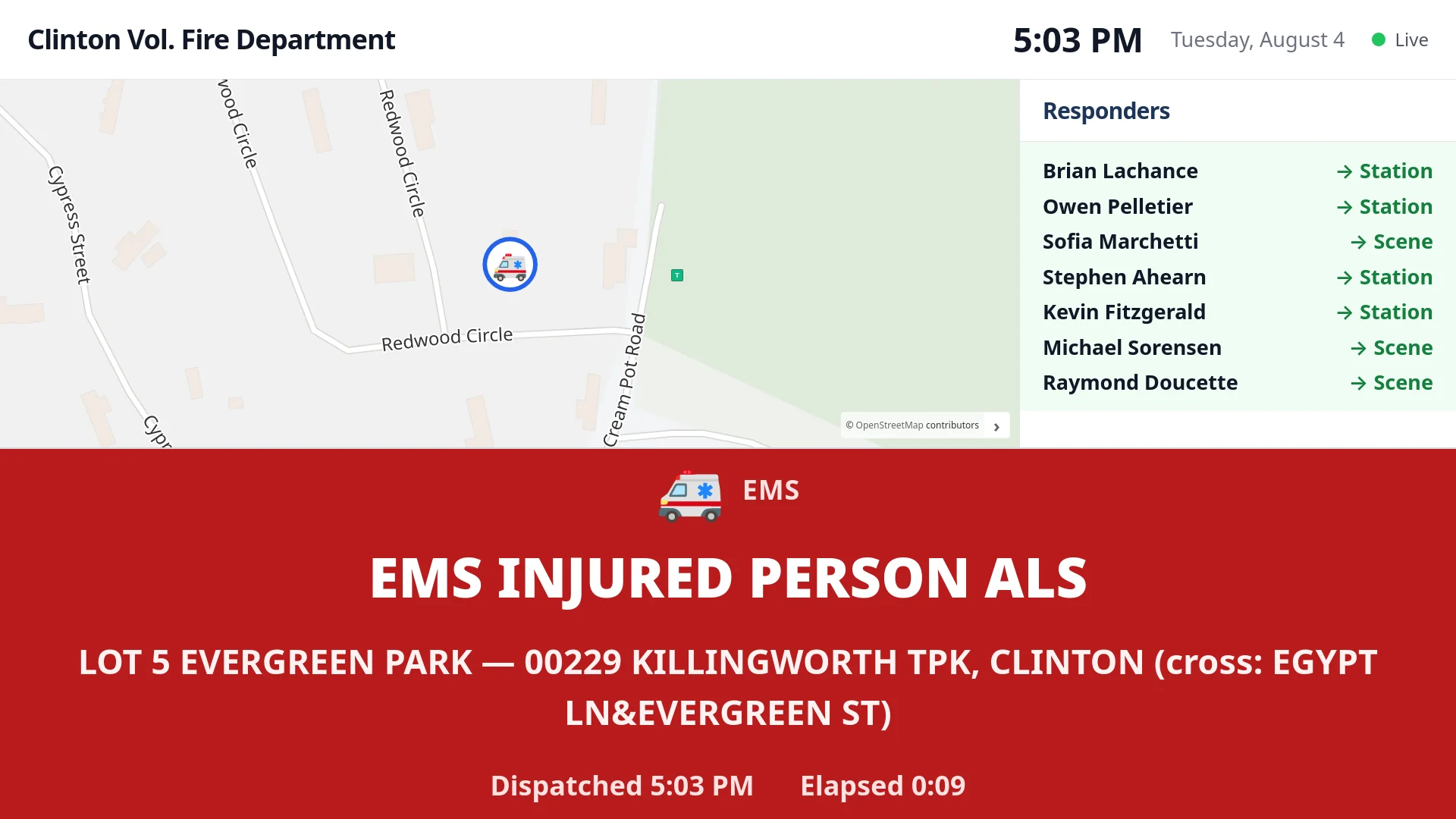
The wall display in the apparatus bay
An always-on dashboard for a mounted screen. Idle, it shows the district map and recent alerts. When a located call comes in, it splits to the scene map, the responders coming, and the dispatch text.
- Pairs like a TV app — screen shows a code, an admin approves it
- Any modern 1080p or better TV, with a MapBook display box behind it that we supply preloaded and configured — no per-screen licence
- Designed to stay on around the clock without burning the picture into the panel
- Assign displays to groups so each station sees what's relevant
During the call
Radio, live and replayable
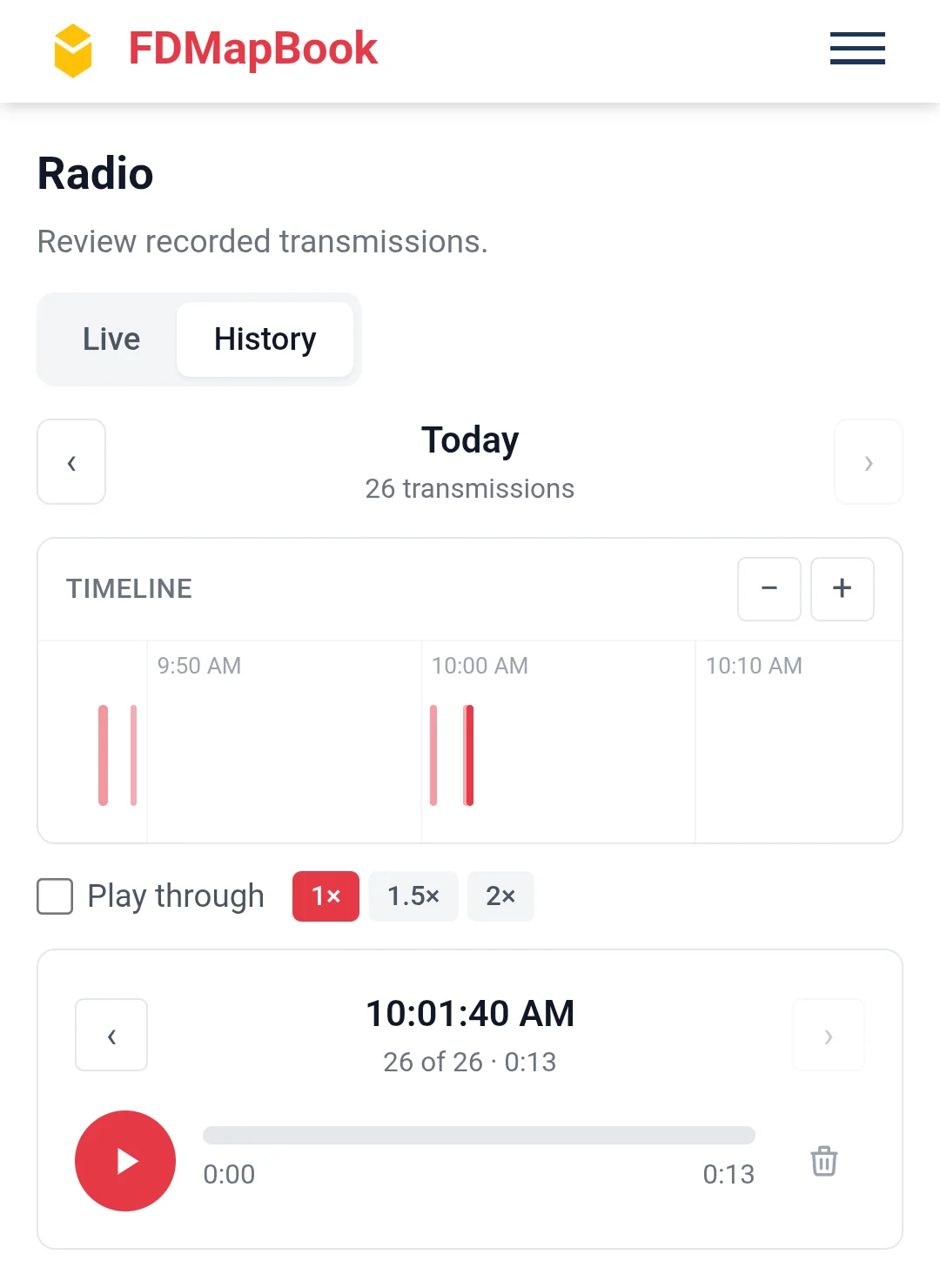
Stream your department's dispatch audio in the app — on the truck, at home, wherever. Turn on recording and every transmission is kept as its own clip on a timeline of the day.
- Built-in relay fans out your own audio; multiple channels at once
- Tone alerts: when your department's two-tone or long-tone pages are heard, members get a push naming the tones and the channel, and each member picks which tones alert them
- Runs on a MapBook radio receiver at your station, supplied preloaded and configured for your department
- Background playback survives screen lock on iOS and Android
- Reconnects on its own when the network blips or the phone switches to cellular
- Only real traffic is recorded, not dead air, with a couple of seconds of lead-in
- Off until an administrator enables it — recorded dispatch audio may be a public record, so upgrading never starts retaining it on its own
Before the call
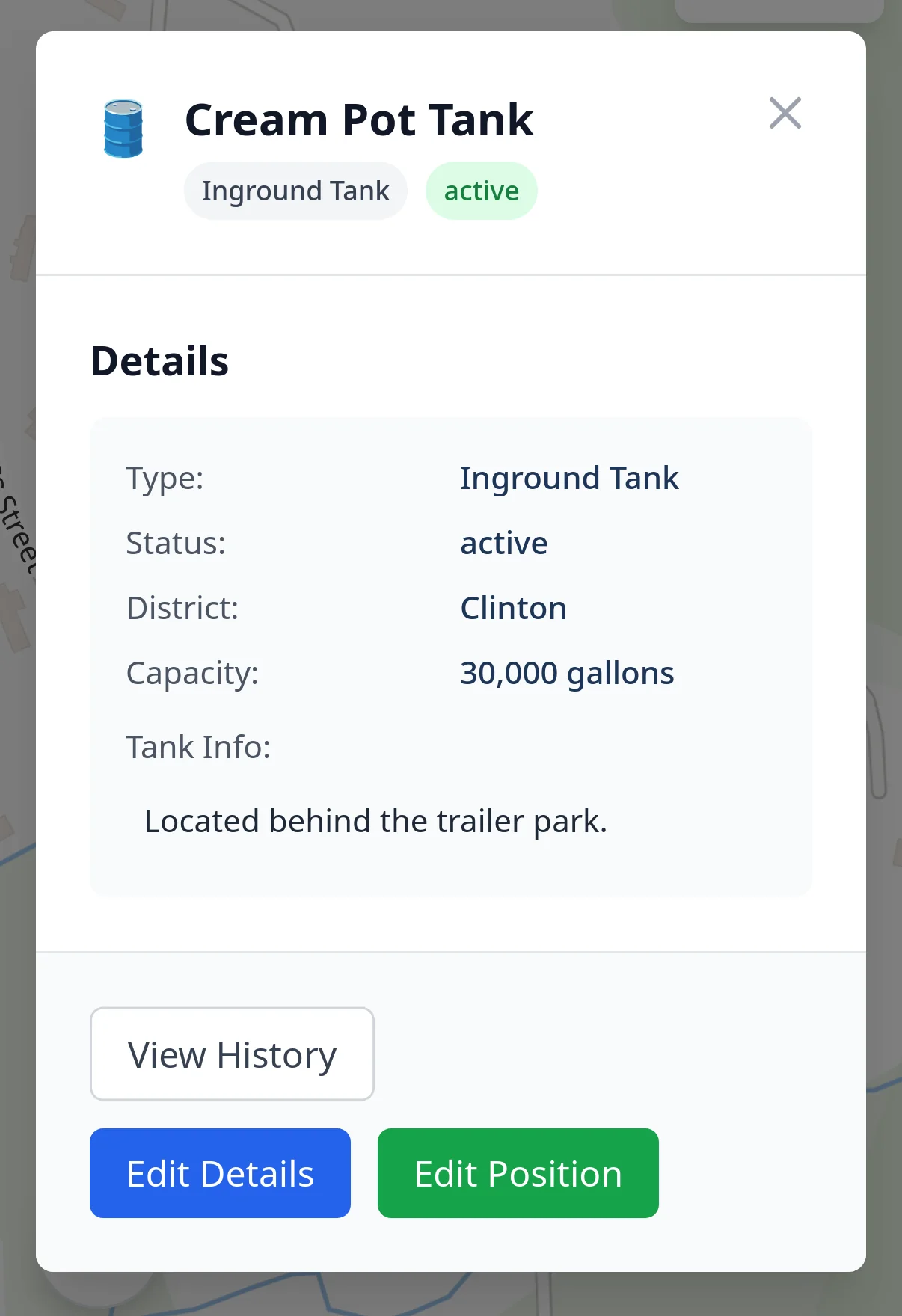
Every water source in the district
Wet and dry hydrants, draft points, cisterns and inground tanks — with the data you need to decide supply, not just a dot on a map.
- Flow rate, static pressure, type, status and last-inspected date
- Departments define their own supply types and map markers
- Snow-removal and maintenance flags with badges on the map icon
- Bulk flag and clear across hundreds of hydrants at once
- Full maintenance history — who flagged it, who cleared it, when
Before the call
Pre-plans that open themselves
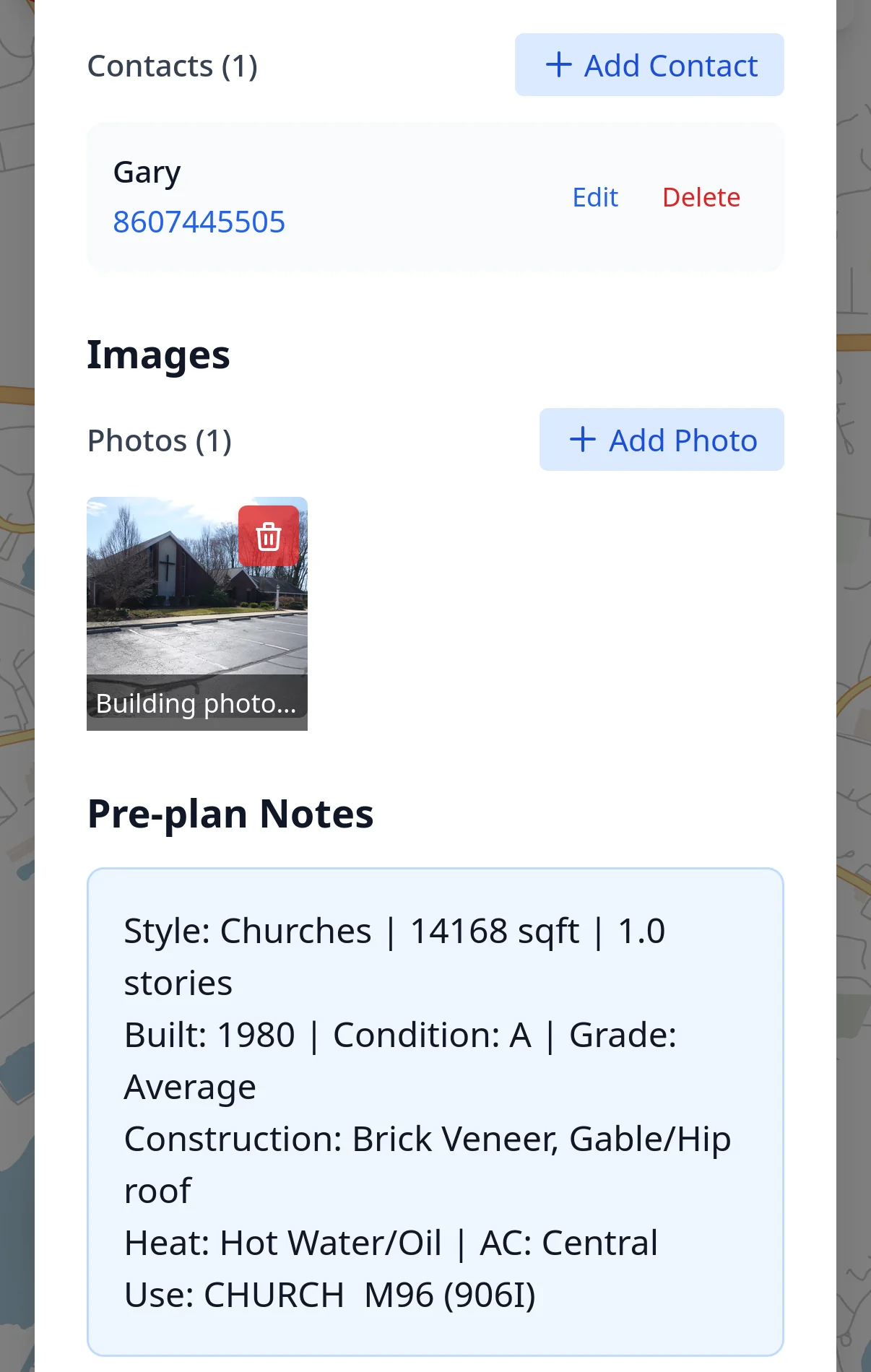
Building profiles with everything the first-due officer would have gone looking for — and when a dispatch matches the address, it opens automatically.
- Hazards, special considerations and photo galleries
- Tap-to-dial contacts with name, role, company and phone
- Parent-child structure for malls, campuses and multi-unit buildings
- Linked Knox boxes, inherited from the parent building to its units
- Call history: every incident tied to that address, active and archived
Anywhere
The network is not a dependency
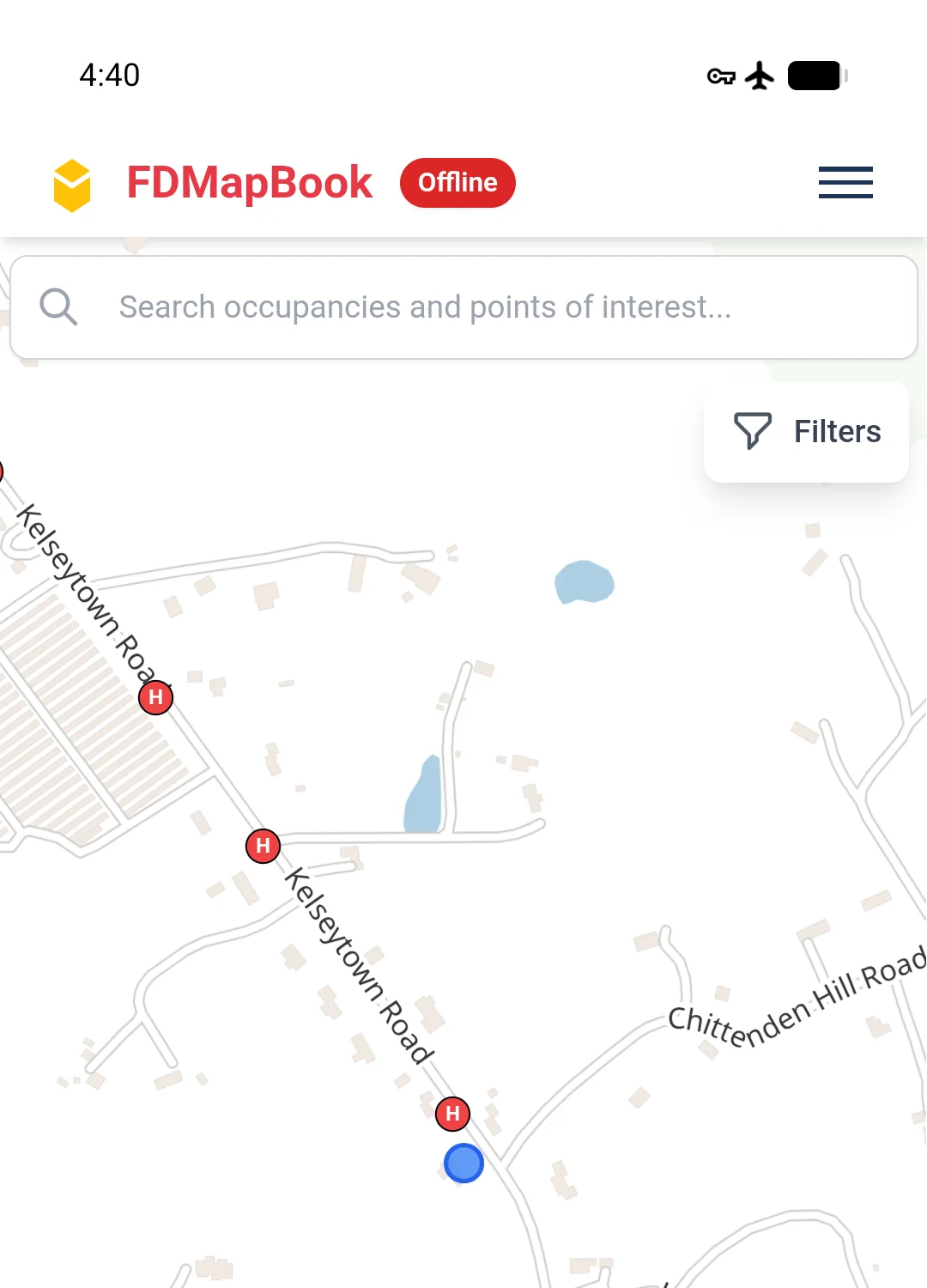
Offline is not a degraded mode bolted on at the end — it is how the app is built. Maps, pre-plans, water sources and calls live on the device.
- Map tiles, hydrants, occupancies, access boxes and incidents cached locally
- Edits and photo uploads queue and send themselves when coverage returns
- Street and place names render the same in a dead zone as they do at the station
- Reconnects and catches up on what changed while you were gone
Running the department
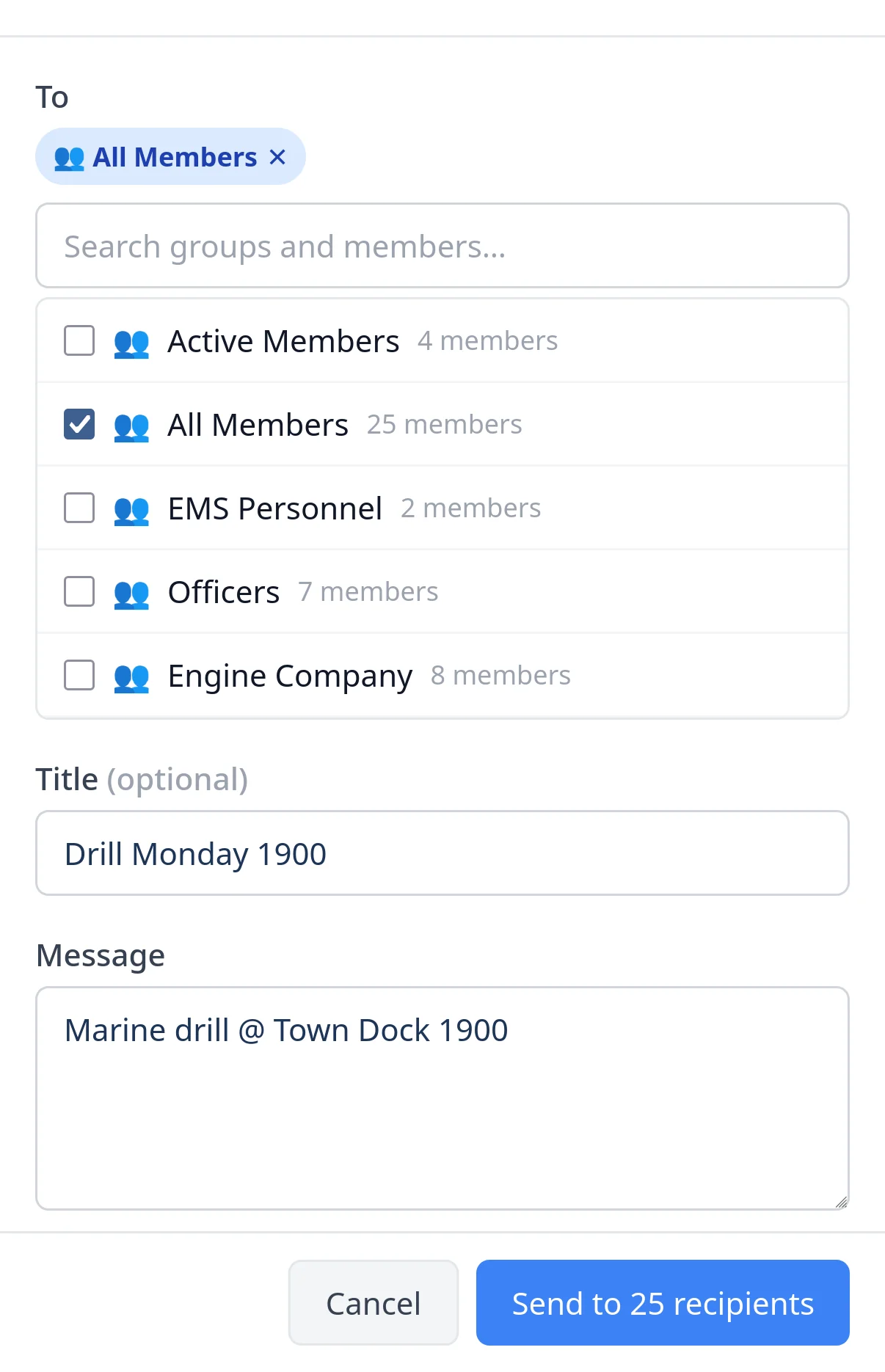
Department messaging
Announcements from the department to its members — drills, coverage requests, apparatus out of service — without a third-party tool injecting text into your dispatch feed.
- Send to everyone, to a group, to individuals, or any mix
- Push delivery on its own channel with a per-user opt-out
- Edit in place and re-notify instead of sending a correction
- User groups double as station-display assignments
Getting started
Bring your data, keep your data
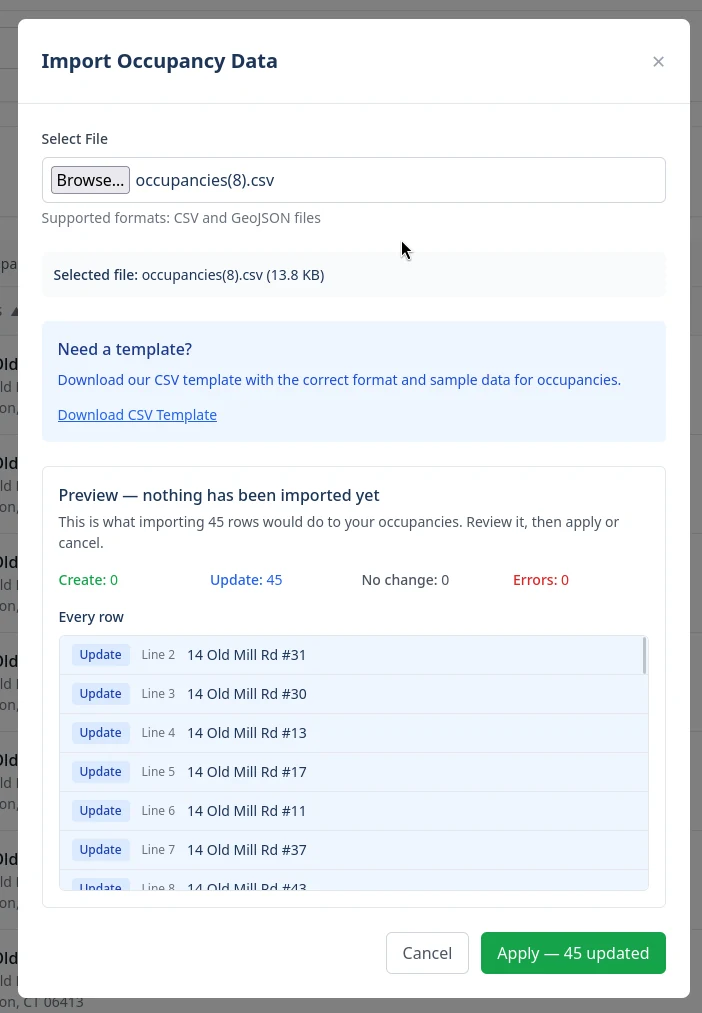
Import from the spreadsheet or county GIS export you already have. See exactly what will change before it changes. Export it all back out whenever you want.
- CSV and GeoJSON, both directions, for hydrants, occupancies and access boxes
- Every import previews first: what will be created, what updated, what's flagged
- One bad row rolls back the whole file — no half-imported mess
- Access boxes can be imported by address instead of coordinates
- Export a selection, not just everything
Running the department
The answers the questionnaire asks for
Departments hold sensitive information about residents and buildings. MapBook is built to survive being asked about it.
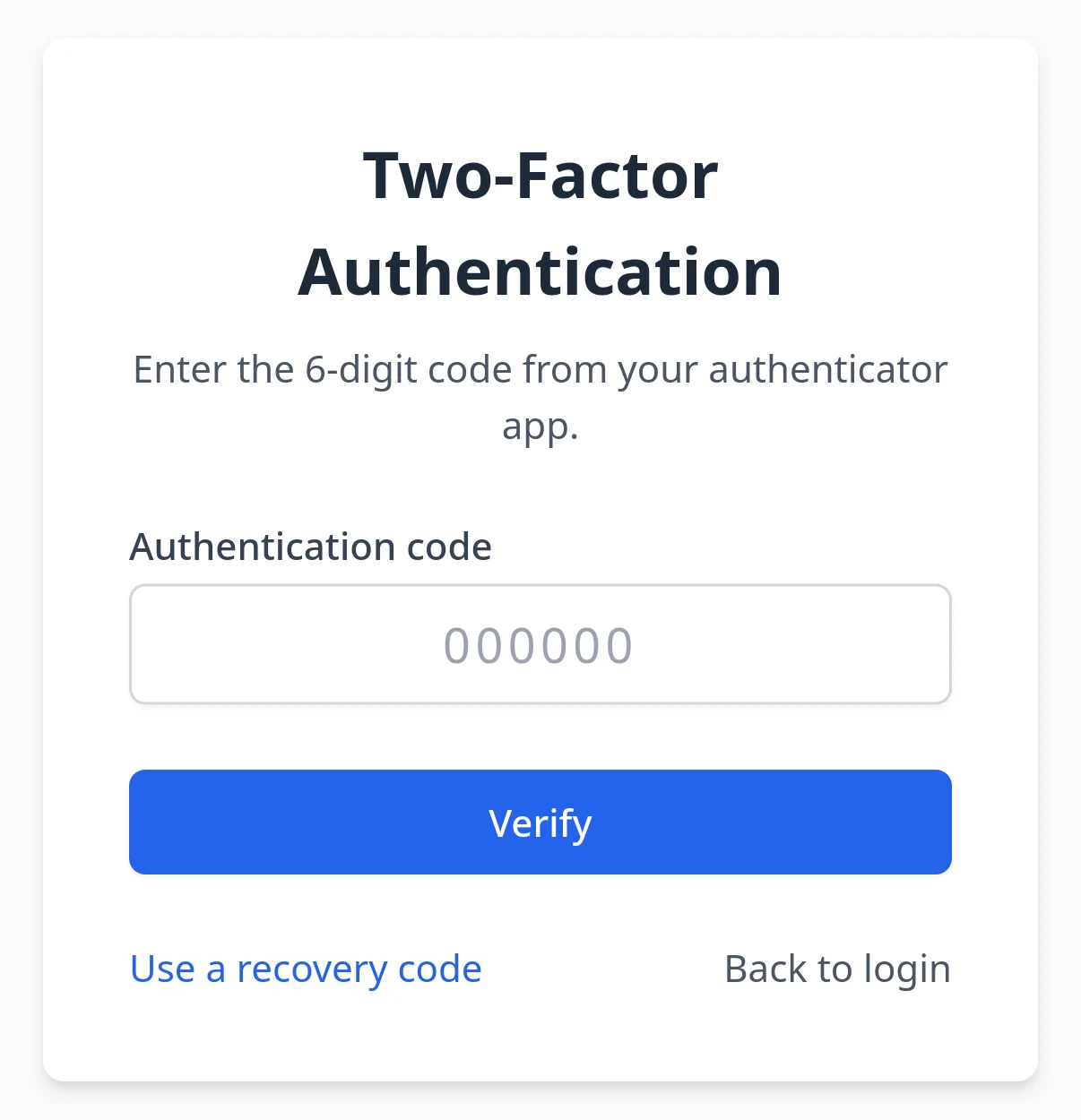
- Two-factor authentication, optional per user or required department-wide
- Audit trail of every change, every login attempt, and every cross-department access
- Departments isolated at the database level, not just in the interface
- Granular permissions on top of admin, user and viewer roles
- Audit entries outlive the accounts they name
Want to see it running on a real department?
Twenty minutes on a live department, with the person who wrote it. Bring your questions and one of your dispatch alerts.